If you're shopping for a new internet plan, you've probably noticed more providers advertising Wi-Fi 7. But unless networking technology is a passion of yours, you may be unsure what that actually means and why it matters.
Understanding Wi-Fi 6 vs. Wi-Fi 7 can help you decide whether newer technology is worth the fuss or cost of switching equipment or plans. And if nothing else, you’ll keep pace with what’s happening in wireless technology so you better understand your internet service.
The biggest difference in Wi-Fi 6 vs. Wi-Fi 7 is that Wi-Fi 7 supports faster internet speeds and delivers lower latency and more consistent signal than Wi-Fi 6. Those improvements make Wi-Fi 7 better for households with gig speed plans and many connected devices used for remote work, competitive gaming, 4K streaming, and growing smart home networks. If you’re investing in faster internet, Wi-Fi 7 helps ensure your wireless network can keep up with your plan speed.
Many internet providers now include Wi-Fi 7 equipment with qualifying fiber plans because today's homes simply ask more from a wireless network:
With more happening on the Wi-Fi, many homes need more speed. And when you’re already paying for fiber-optic speeds, it just makes sense to take every last advantage by pairing them with the best-performing Wi-Fi technology on the market.
Don’t have the fastest plan available from your provider? Doesn’t matter—Wi-Fi 7 benefits can boost your wireless experience too.
Before Wi-Fi was widespread, computers had to plug directly into an Ethernet port or a modem to get online. Now, of course, Wi-Fi is how most devices get internet access within our homes and businesses.
Wi-Fi works by receiving the internet signal from your provider’s larger network, converting it into radio frequencies within your router, and channeling those from your router directly to the tiny Wi-Fi receivers built into modern electronics.
Each generation of Wi-Fi has improved on the last. Wi-Fi 6 represented a major improvement over previous generations of home wireless technology by increasing efficiency and helping routers serve multiple devices more effectively. For many homes, it's still an excellent wireless standard.
Wi-Fi 7 builds on that foundation with even greater speed, lower latency, and better reliability. Many of the biggest Wi-Fi 7 benefits aren't just about faster downloads—they're about making your connection feel more responsive throughout the day.
The exact speeds you experience depend on your internet plan, devices, and home environment, but these improvements illustrate why the conversation around Wi-Fi 6 vs. Wi-Fi 7 is growing.
You don't need to understand wireless engineering to appreciate the biggest Wi-Fi 7 benefits. Here's what has changed and how those improvements translate into everyday life.
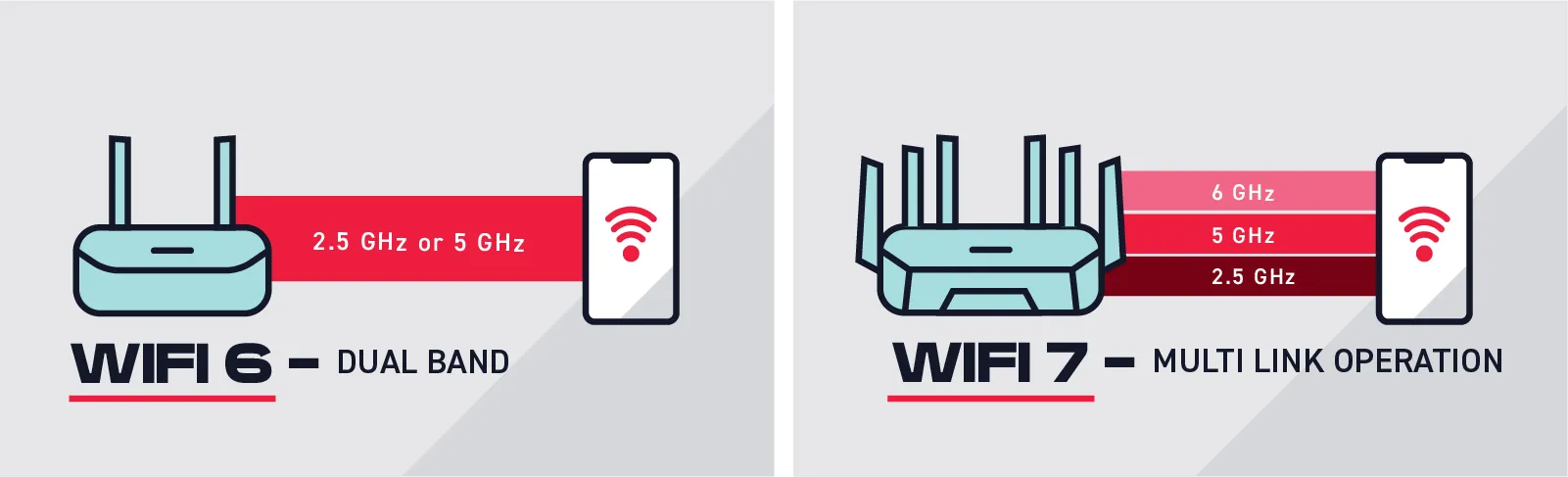
Wi-Fi 6 and even earlier generations were “dual-band,” meaning they passed data to your devices over two main frequency ranges, the 2.5 GHz band for general connectivity and the 5 GHz band for better signal reach across the home.
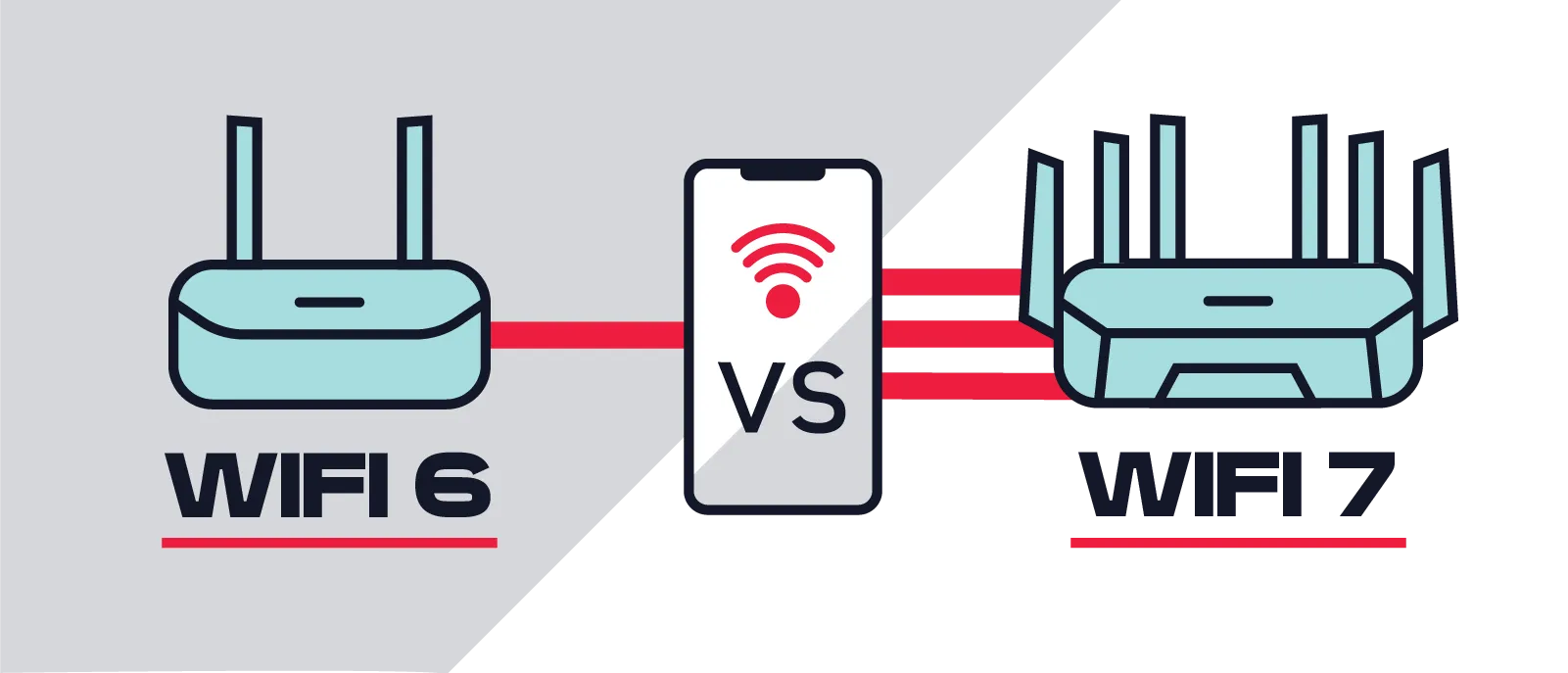
Wi-Fi 7 is tri-band, supporting frequencies on a new 6 GHz band too. And the 6 GHz band is truly massive, accommodating radio frequencies up to 320 MHz wide—that’s double the maximum available with Wi-Fi 6.
Think of this like lanes and highways. The more highways (Wi-Fi bands) and lanes (frequencies) there are, and the wider those lanes (frequencies) are, the more cargo can travel on them at once—and the faster they’ll arrive, because there’s less congestion.
This is one reason many people comparing Wi-Fi 6 vs. Wi-Fi 7 notice better performance when downloading large files, backing up computers, or streaming high-resolution content.
One of the biggest innovations in Wi-Fi 7 is multi-link operation, often called MLO. Although previous Wi-Fi generations communicated over multiple bands, they generally communicated over one band at a time. MLO allows compatible devices to use multiple wireless bands simultaneously.
In practical terms, this means your connection has more than one path available. If one path becomes busy or experiences interference, traffic can continue over another. For you, that can mean benefits like these:
Among the many Wi-Fi 7 benefits, MLO is one of the most noticeable because it focuses on improving reliability—not just peak speed.
Not to mention, one of the biggest Wi-Fi 7 benefits is that it handles overlapping data requests from different devices more efficiently. Think about how many of your electronics are vying for bandwidth at once: gaming consoles, work computers, personal computers, streaming boxes and smart TVs, smart doorbells, security cameras, and the phone you’re probably using at the same time.
Instead of competing for limited wireless resources, devices on a Wi-Fi 7 connection with MLO can operate with less interference, reducing slowdowns during busy periods.
Latency measures how quickly information travels between devices—not just how much data can move. Lower latency makes a noticeable difference during activities like these:
If you're searching for the best Wi-Fi for remote work, lower latency often matters just as much as download speed. Meetings feel more natural, screen sharing becomes smoother, and cloud-based applications respond faster.
Feature | Wi-Fi 6 | Wi-Fi 7 |
Maximum theoretical speed | Up to 9.6 Gbps | Up to 46 Gbps |
Latency | Low | Even lower with faster response times |
Device capacity | Excellent | Better performance under heavy demand |
Reliability | Very good | Improved stability during congestion |
Gaming and video calls | Strong | Lower latency and smoother performance |
Smart home support | Excellent | Better for larger, busier connected homes |
The short answer is yes! When it comes to Wi-Fi 6 vs. Wi-Fi 7, Wi-Fi 7 is always going to be more efficient, and you’d probably notice an improvement overnight if you switched.
That said, your internet connection and your Wi-Fi network are different things, and not all provider networks are created equal. Even Wi-Fi 7 can’t compensate for reliability or speed issues that start before the data even reaches your router.
If you have Wi-Fi 7 and still feel like your internet stinks, first troubleshoot with customer service to rule out smaller issues. If nothing changes, it might be time to switch plans or providers.
It’s still early days for Wi-Fi 7 technology, so if the right plan or router isn’t in your budget, you’re not behind. But if Wi-Fi 7 equipment is included with your fiber plan, it's often the easiest way to start enjoying the latest wireless technology without shopping for separate hardware.
Certain households are much more likely to notice the difference right away!. If you're looking for the best Wi-Fi for remote work, for example, Wi-Fi 7 becomes especially attractive when you have multiple work or study stations occupied at the same time.
Here’s a quick guide to suss out how soon you should adopt the benefits of Wi-Fi 7.
Wi-Fi 6 may be enough if ... | Wi-Fi 7 is probably worth it if ... |
Your router is fairly new | Your equipment is several years old |
Your internet speed is relatively modest | You have gig or multi-gig fiber |
Only a few devices are connected | Many people use Wi-Fi simultaneously |
You have a smaller home | You have a larger home or challenging layout |
You mostly browse and stream casually | You work from home regularly |
You’re not looking to change internet providers | You’re moving and choosing a new provider anyway |
You’d have to buy your own router to get the benefits of Wi-Fi 7 |
Individually, Wi-Fi 7 technology and 100% fiber-optic Frontier Internet may both provide a noticeable lifestyle upgrade. Put them together, and you’ll get better results than either one alone.
Frontier Fiber plans include symmetrical upload and download speeds that give modern Wi-Fi technology plenty of bandwidth to work with. When combined with Wi-Fi 7 equipment on qualifying plans, you can take advantage of many of the Wi-Fi 7 benefits throughout your home, from smoother video meetings to faster downloads and more responsive performance across dozens of connected devices.
Get ready to cruise down that new 6 GHz highway opening on your router next month—see Frontier plans available in your area now.